Property claim walkthrough: one claim, start to finish
This property claim walkthrough follows one example claim, a wind and hail loss in Oklahoma on an HO3 policy, from the moment it arrives to the letter that closes it. Six screens, the way an adjuster uses the product.
Example claim. The Vasquez claim is fictitious demo data; names and figures are invented.
-
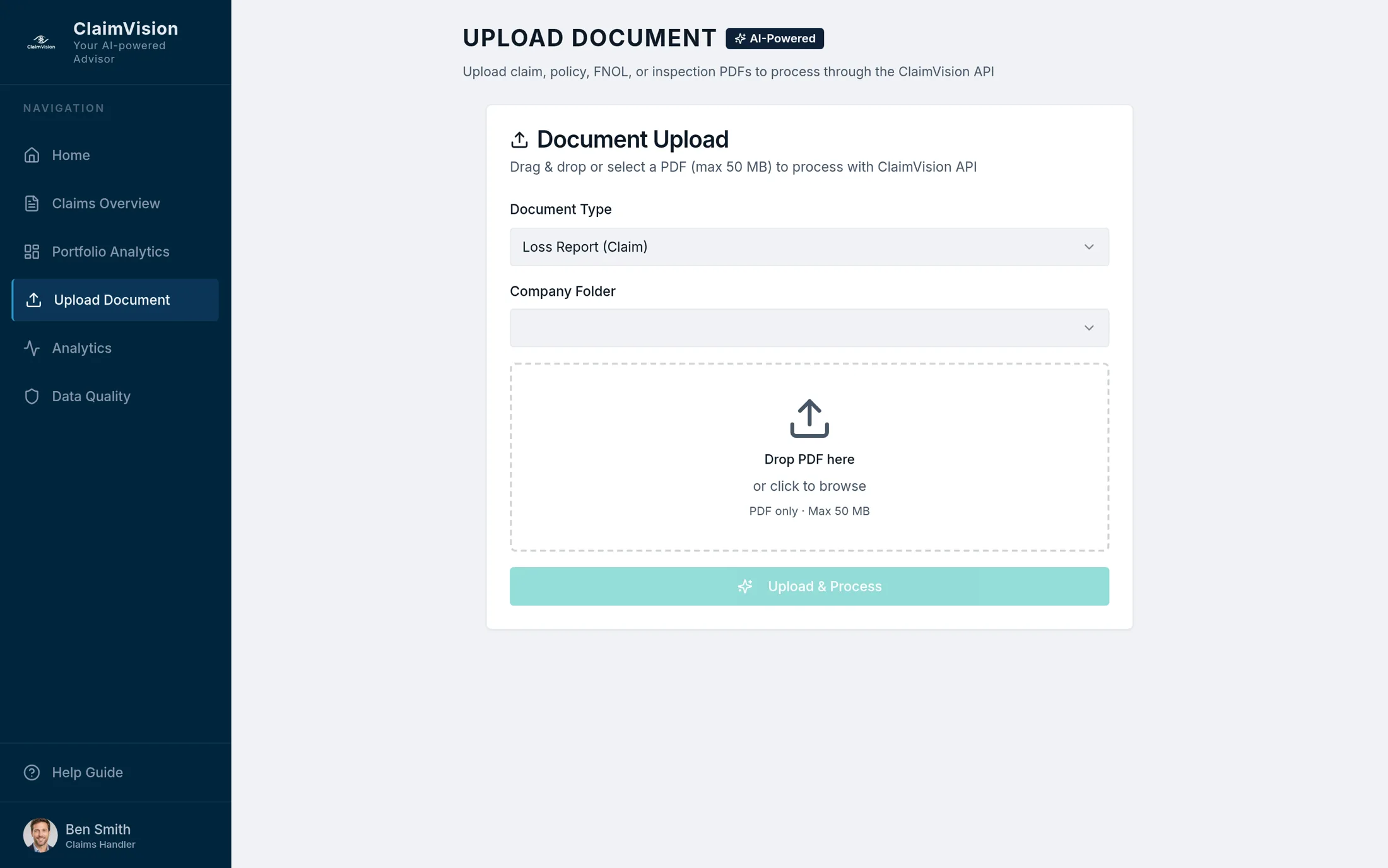
STEP 1 OF 6
The claim arrives
The loss report, the policy, the FNOL and the inspection report go in as PDFs. The reading starts the moment the files land, and nobody has to sort them first.
-
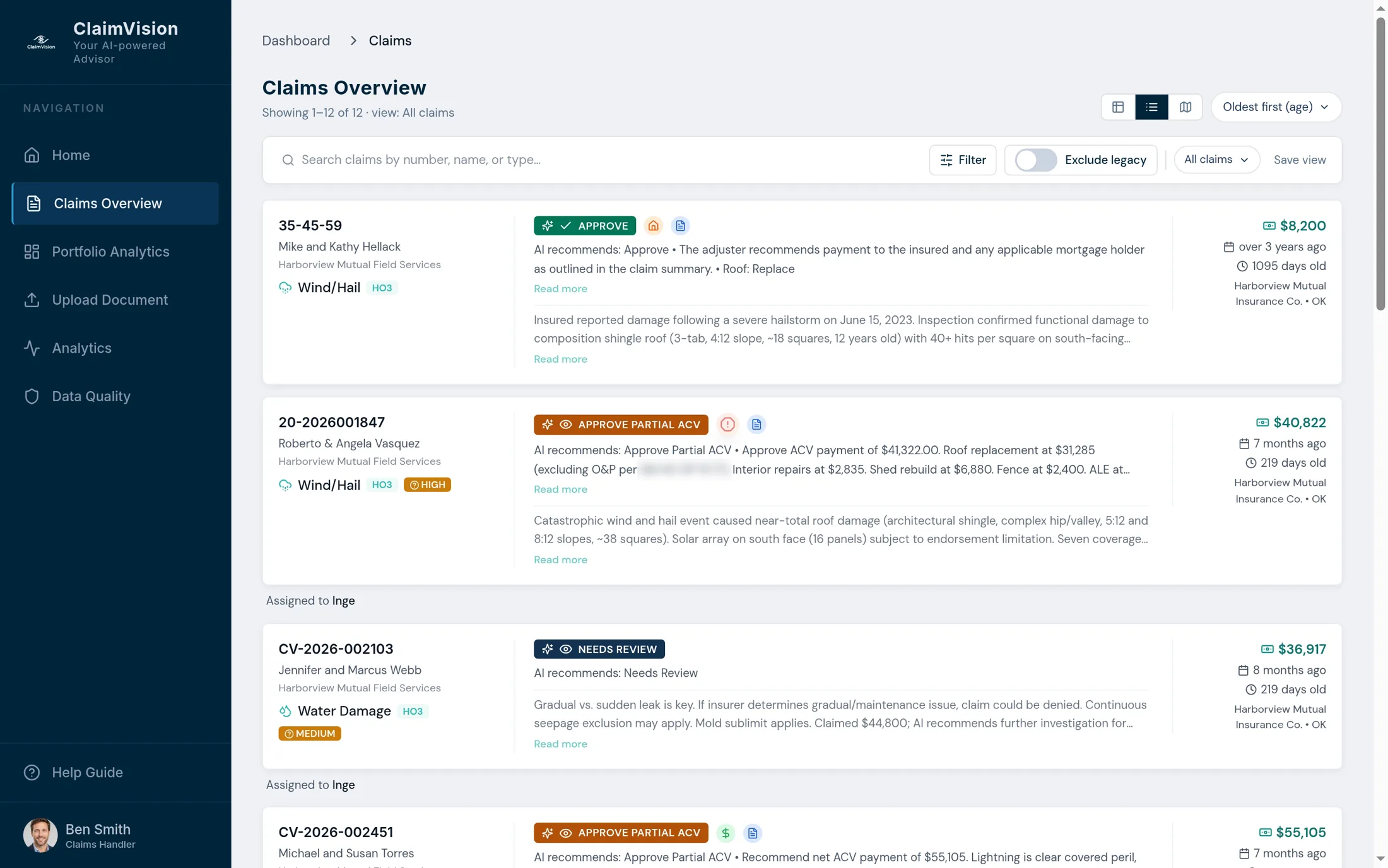
STEP 2 OF 6
Everything read
Already read means every open file shows a recommendation, the payable amount and its age before anyone opens it. The Vasquez claim waits in the queue with its recommendation ready.
-
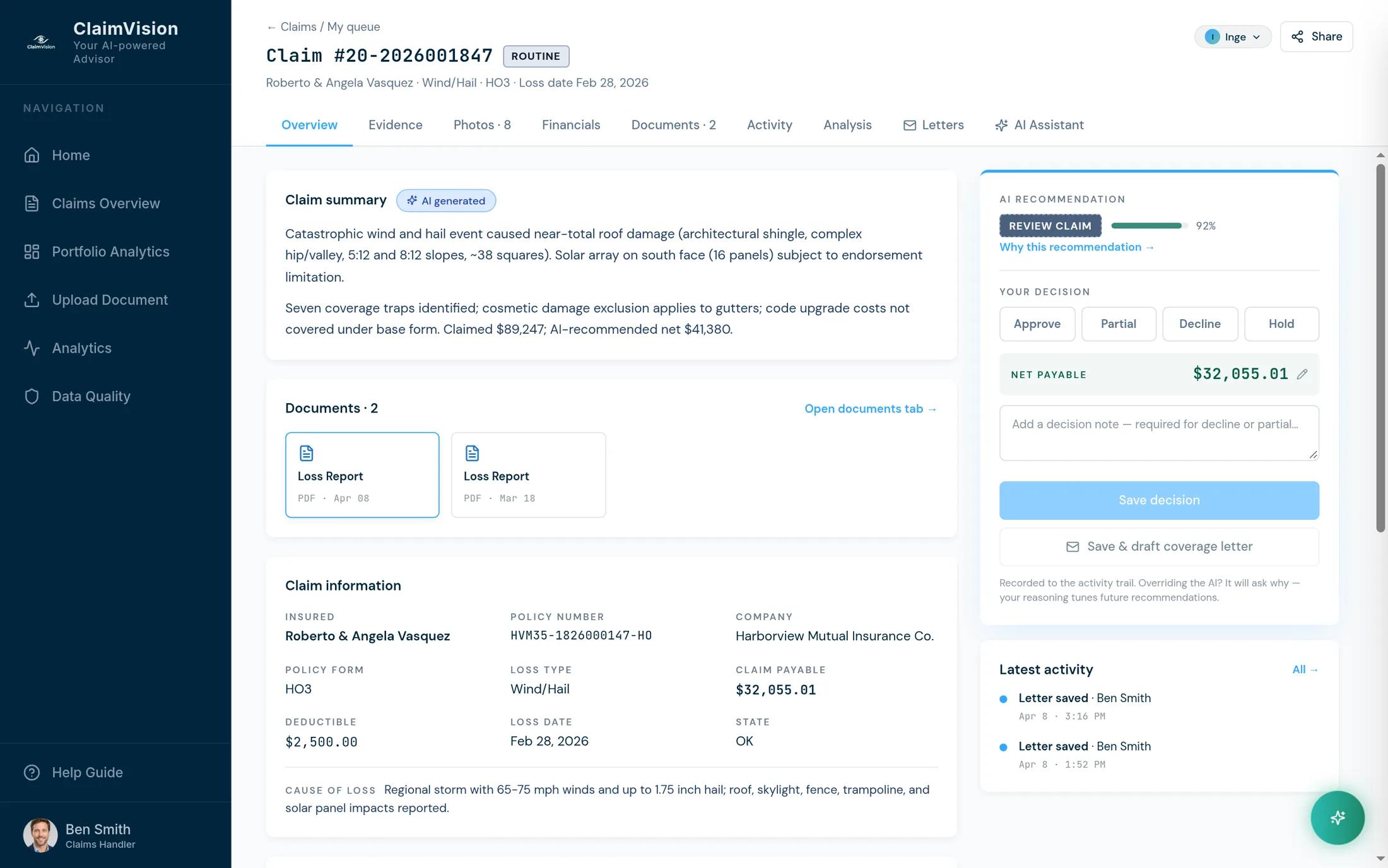
STEP 3 OF 6
The findings
Seven coverage traps surface on this claim, among them a solar panel limitation, cosmetic damage to the gutters and code upgrade costs the policy does not cover. The decision buttons keep the adjuster in charge.
-
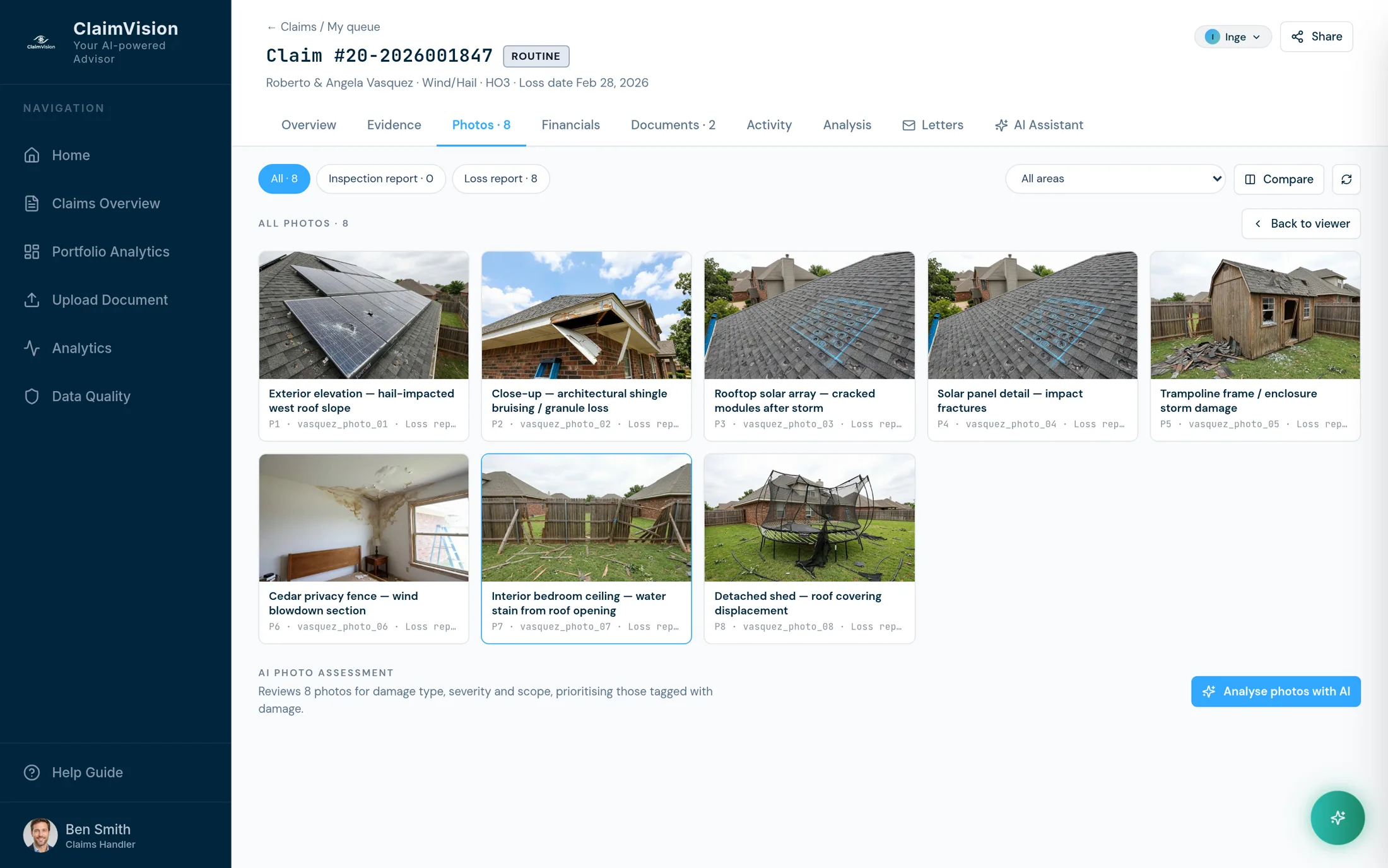
STEP 4 OF 6
The evidence
Each finding points at the page or the photo it came from. That link is the audit trail that defends the decision later, to the family, a regulator or a court.
-
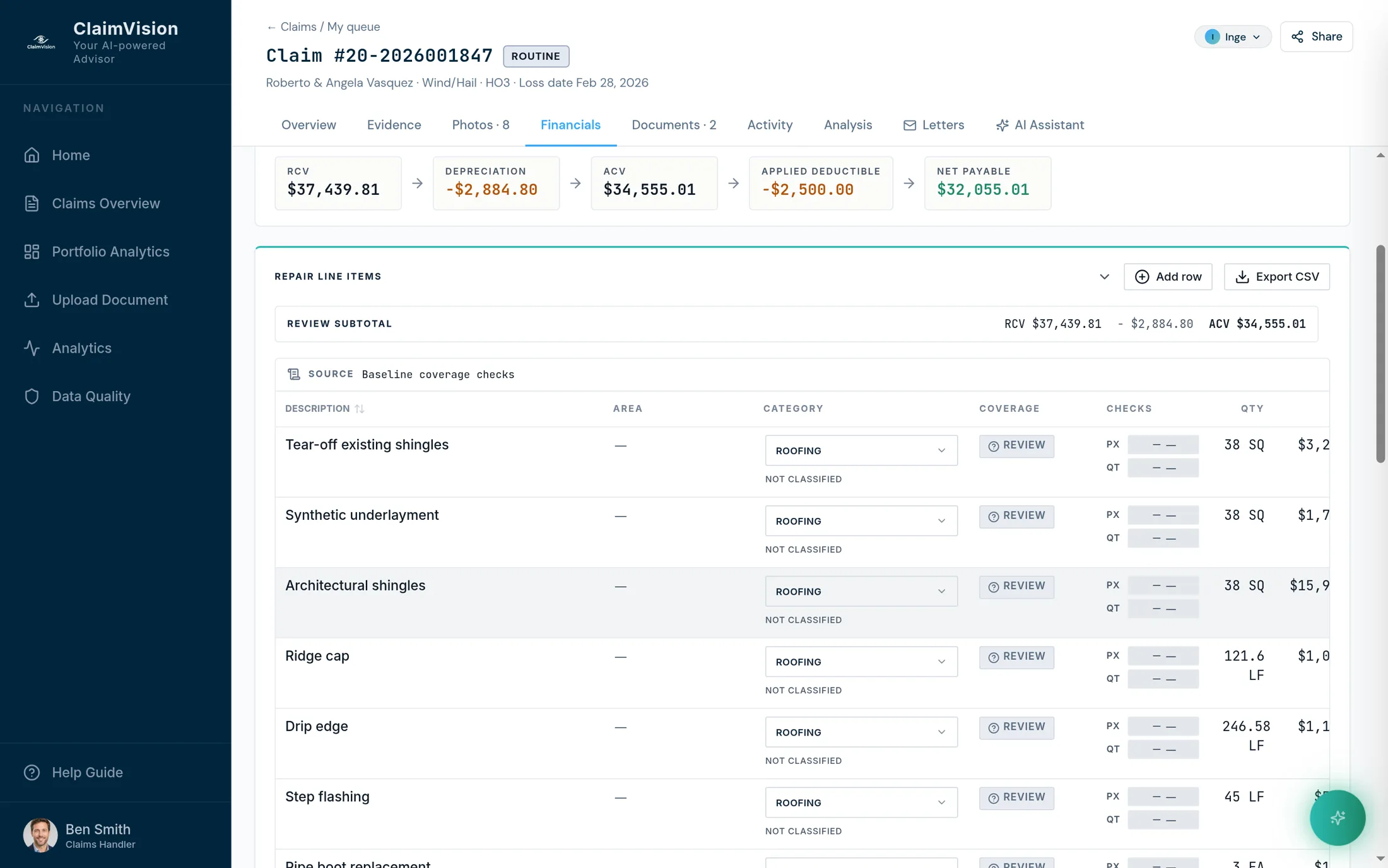
STEP 5 OF 6
The decision
The financials show how the settlement is built, line by line. One fact can change it, so the adjuster decides and the system shows its work. Try one fact yourself in the example below the tour.
-
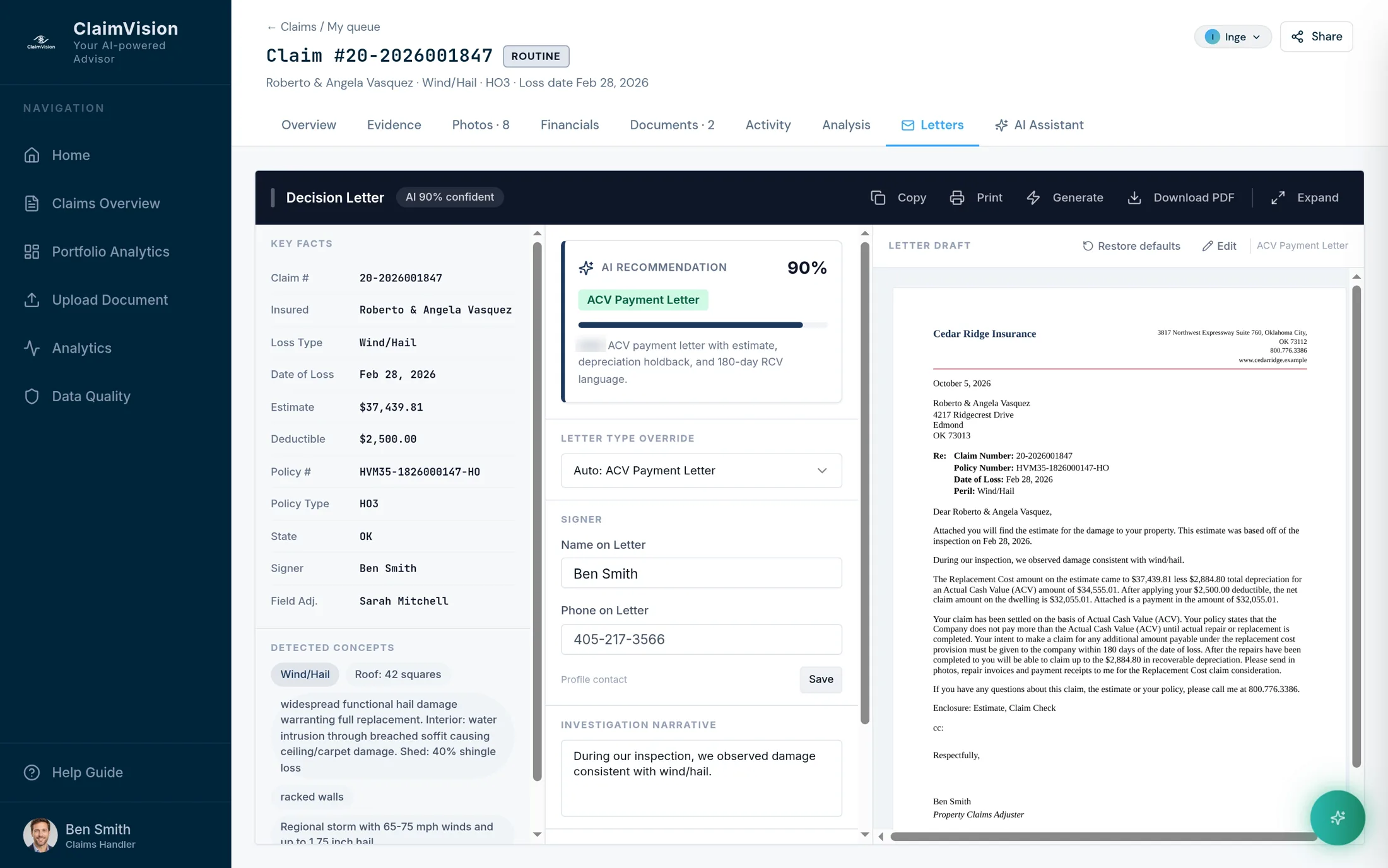
STEP 6 OF 6
The letter
The letter drafts itself from the decision, on your template with the claim's details filled in: review it, edit it, download it. Every day saved here is a day off the cycle clock.
A separate example: what if
One fact in the inspection report changes the money. Try it.
This is a different fictitious claim (the Sykes example, wind and hail, Oklahoma), kept apart from the tour so the figures never mix. A roof surfacing endorsement settles roofs older than 15 years at actual cash value. Whether it bites depends on the roof's age.
Finding: the roof surfacing endorsement applies, so settlement moves to ACV
The inspection report dates the roof to 2009, sixteen years old at date of loss. The roof surfacing endorsement therefore changes the settlement basis for this peril: the roof settles at actual cash value, withholding $3,830.41 in depreciation. Under the policy's 180-day replacement provision, that holdback is recoverable once repairs complete, which is worth flagging in the decision letter.
Both outcomes, in plain text: at 16 years the endorsement applies, a $3,830.41 depreciation holdback is withheld and the net payable is $8,778.02, recoverable once repairs complete within the policy's 180-day replacement window. At 12 years it does not apply and the net payable is $12,608.43. One sentence of fine print, a $3,830.41 difference.
FAQ
Three questions after the walkthrough
Does ClaimVision replace our claims system?
No. ClaimVision reads the documents your core claims system already holds and hands back findings. Guidewire ClaimCenter, Duck Creek, Sapiens or an in-house system stays the system of record, and nothing is migrated.
What does the adjuster still do on a claim ClaimVision has read?
The adjuster decides. ClaimVision does the reading, surfaces the coverage traps with the clause and dollar impact attached, and drafts the letter from the decision. Approving, adjusting or overriding a recommendation stays with the adjuster, and every override is kept, with the adjuster's reason when they add one.
How is a claim decision defended in a dispute?
With the record. Every finding points at the page or photo it came from, and every recommendation and human override is kept, nothing overwritten. When a policyholder, a public adjuster, a regulator or a court asks why, the answer is already written down.